01
Write
Capture what you are learning in your own words, in the subject or chapter where it belongs.
 Map My Mind
A Personal Study Workspace for Students
Build understanding from material you wrote. Connect ideas in mind maps, then create focused tests from your notes. Get AI-assisted scores and explanations for written answers.
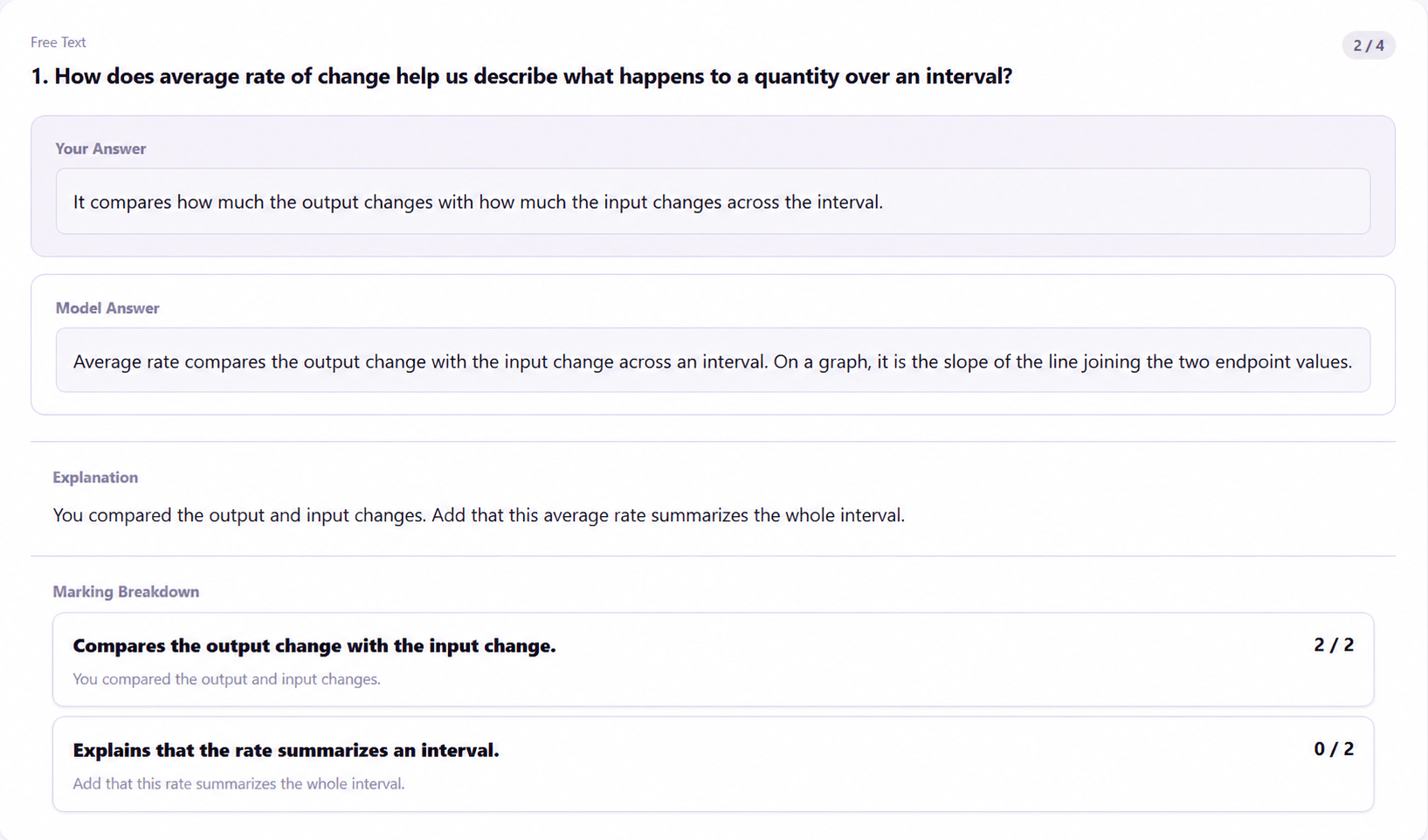
Your Notes Lead the Study
Start with your own notes, make the links visible, and use questions to find what to revisit.
Capture what you are learning in your own words, in the subject or chapter where it belongs.
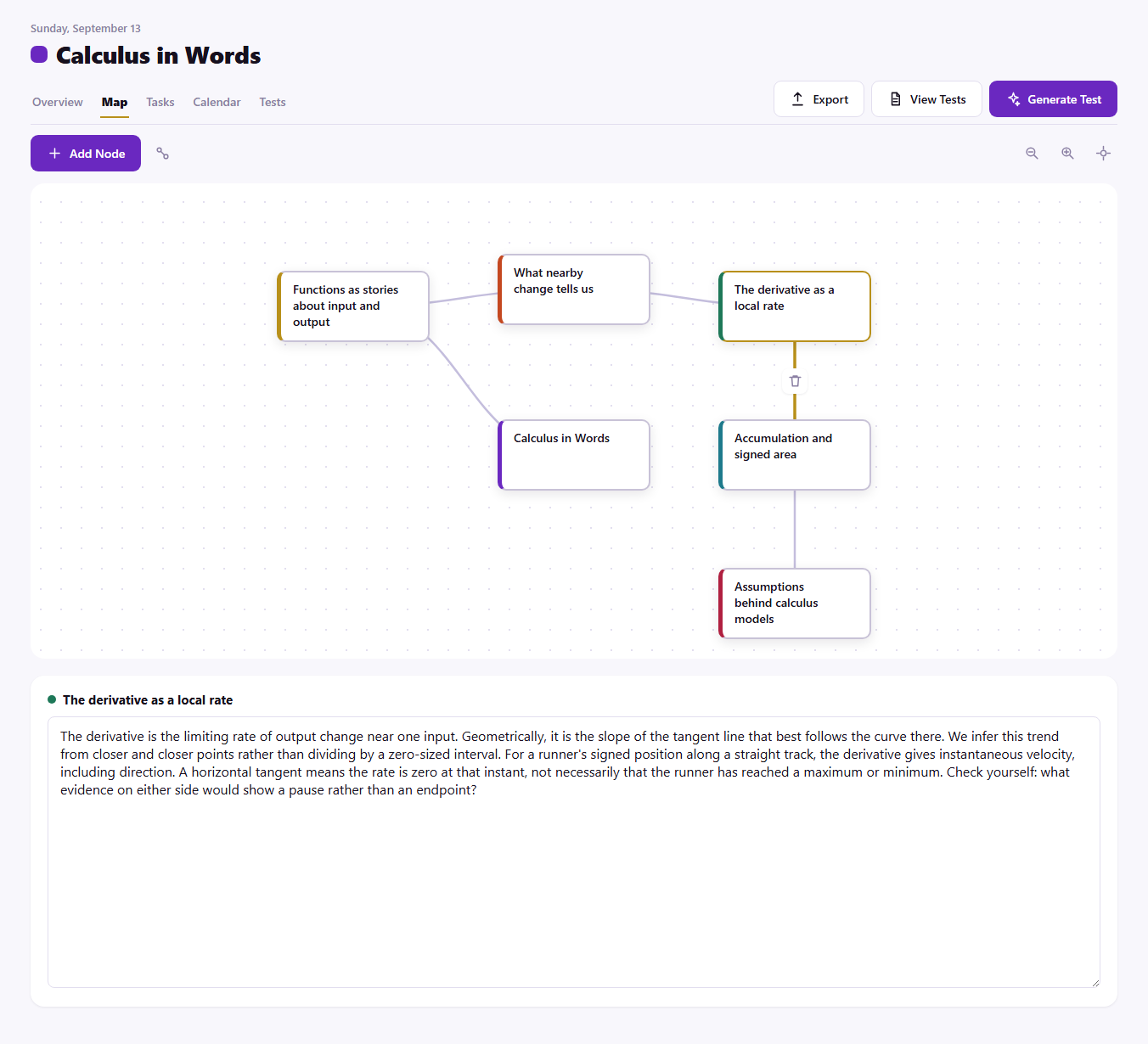
Link concepts that influence or explain each other, then add notes directly to each idea.
Generate tests from selected notes, then use written-answer feedback to decide what to study next.
Choose from 11 supported South African languages. South African Sign Language (SASL) is not currently available in the app.
Inside Your Workspace
Connect learner-written concepts in a mind map, and keep tasks and events beside the subjects they belong to.
Add your own notes to a subject or chapter, then link related concepts in a mind map. You decide what belongs in your study material.
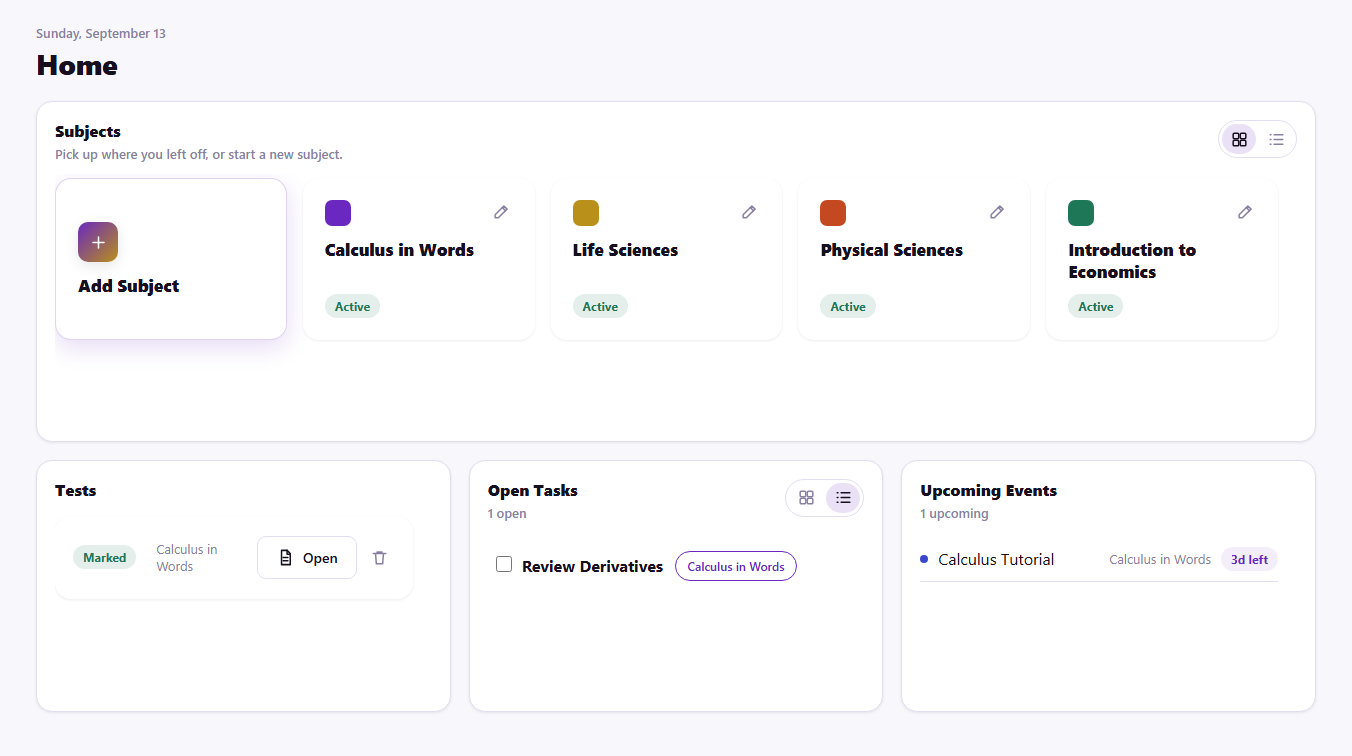
Tasks and events live beside the subjects they belong to, making the next useful action easy to see.
AI and Your Study Material
When you generate tests or submit written answers for AI marking, the relevant notes, question content, and answer text are sent to our Azure OpenAI service. AI feedback can be wrong; use it for practice, not as an official assessment.
Ready to start with your own notes?
Create a subject, add notes in your own words, and build your first mind map. Notes, maps, tasks, and calendar are free to use.